 |
 |
About LifeBook
Rudhen-Electronics proudly presents "LifeBook" as the world's first easy-to-use personal event logger and statistics viewer for the Android platform.Did you always want to know:
- how often you went to dinner last year?
- how many exams you had at school?
- when you had your period?
- when you took your medicine?
LifeBook is basically a personal data gatherer into a database with a graphical statistics user-interface, for everyone from 8-80.
Download us from the Google Play store

All Features at a glance
- Easy event logging (*)
- Event statistics with graphical front-end
- Event sharing via Social Media
- Huge collection of categories and icons via the Internet
- Easy drag&drop category screen re-ordering
- PIN protection
- Backup and Restore (*) mechanism
- Multi-language Support
- Android support from version 1.6 upwards
- No ads
- (*) Limitations of free version:
- No database restore from backup
- Limited number of events, but enough to get a good idea about LifeBook
- If you previously used the free trial version:
- Make a backup in the free version
- Restore it in the paid version
- When OK, the free version can be deleted
The first time
The first time after installation, LifeBook asks to accept its terms and conditions. There are no surprises in them but we insist that you read and accept these terms and conditions to avoid any issues afterwards. Once accepted, LifeBook continues with the categories page. As a service we direct you immediately to the download page.
Here you can make a selection out of tens of categories that we prepared for you. Afterwards, you are free to add your own categories and be very creative.
I-DID !
The multi-page category selector is very much in the same style as Android's application selector with swipe detection and drag & drop support.
After opening a category there is a list of items. The user can log day-to-day item events and view them over time.

Data entry is very intuitive and doable in less than a few seconds per entry.
DID-I ?
Statistical views are presented in a graphical manner (3D pie chart, bar graph):
... or a list:

The user can move back and forth in time by simply swiping the screen.
Data protection
We forsee a long life for LifeBook and as the user evolves over the years, his set of categories and items will also get richer and richer. The emotional/economical value of the database will increase over time as well. To support that, a back-up and restore system is in place with which the user can backup and off-load his data to a PC. The collected user data can be highly personal. Therefore, LifeBook can also be protected with a 4-digit PIN.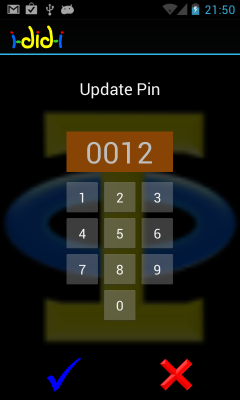
Social Media Sharing
Sharing on all the popular Social Media sites can be done with a few button presses. As such, LifeBook can be seen as an easy to use Social Media front-end.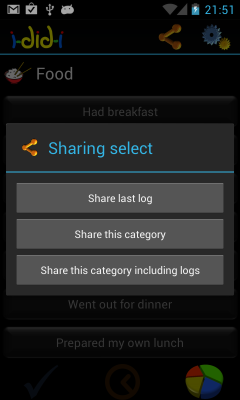
Language support
LifeBook support 6 classical languages: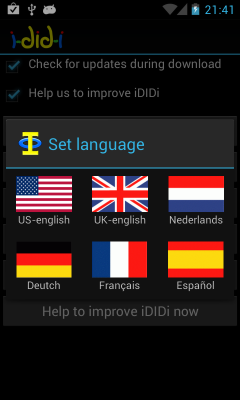
Integrated support
LifeBook has done its utmost to create the best user experience. Examples are our integrated context-sensitive help system, user tips and a news message facility from us to you.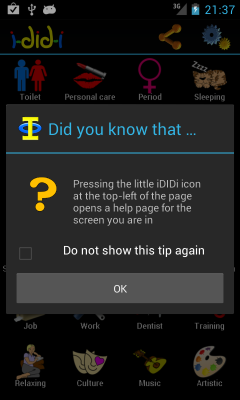
Judge for yourself and also become a satisfied LifeBook user.
For more information, please contact us here.